Cookbook
cooklang.cookbook · v0.1.1
Turns a folder of recipes into a printable PDF cookbook: cover, contents, a chapter per subfolder, photos and an ingredient index.
Install: cooklang.cookbook
Cookbook
Turn a folder of Cooklang recipes into a printable PDF cookbook, right from Cook Editor: a cover, a table of contents with page numbers, a chapter per subfolder, recipe photos and an index of ingredients.
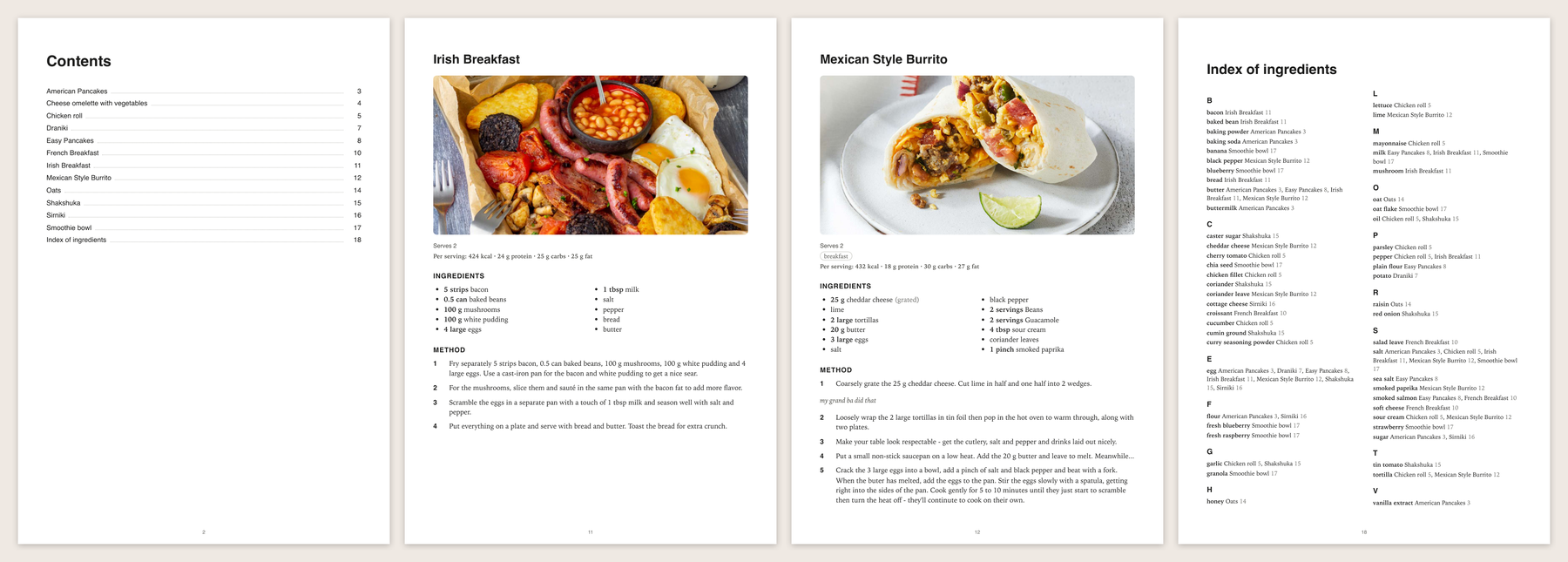
Right-click a folder in the Explorer and choose Export as Cookbook (PDF)…, or run Cookbook: Export as Cookbook (PDF)… from the command palette and pick a folder. Cook Editor asks where to save the PDF.
Free. With a Cook Basic or Pro plan each recipe also gets a nutrition line
(Per serving: 520 kcal · 38 g protein · 52 g carbs · 14 g fat).
How your folder becomes a book
Family Recipes/
├── README.md            → the cover: title and intro text
├── Quick Toast.cook     → recipes in the top folder come first
├── 01 Breakfast/
│   ├── README.md        → the chapter's intro
│   └── Pancakes.cook
├── 02 Soups/
│   └── Tomato Soup.cook
└── Drafts/              → left out (see Settings)
-
Chapters are subfolders that contain recipes, nested up to three levels. Deeper folders are merged into their third-level chapter.
-
Order is alphabetical and number-aware (
2 Soupsbefore10 Mains). A leading number like01-or2is used for sorting and hidden in titles. -
README.md (or
readme.markdown) in a folder is that chapter's intro; in the exported folder it is the cover. Its YAML frontmatter can set the title and the position among sibling chapters:--- title: Soups & Stews order: 1 --- Cheap, warm and forgiving.Chapters with an
ordercome first, lowest first; the rest follow alphabetically. Without atitle, the cover uses the README's first#heading, then the folder name. READMEs support headings, paragraphs, bold and italic, inline code, lists, quotes, rules,httpslinks and images next to the README. An image inside a link ([](https://…)) is not supported. -
Recipe titles come from the recipe's
titlemetadata, else the file name. -
Photos follow the same rules as the recipe preview:
Pancakes.jpgunder the title,Pancakes.1.jpg(orimage:metadata) for steps. Photos over 10 MB are left out. -
Menus (
.menu) are not included.
A recipe that can't be rendered (for example because of a syntax error) is listed under Not included at the end of the book, and Cook Editor tells you after the export.
A book holds up to 500 recipes; export a subfolder for bigger collections.
Settings
| Setting | Default | |
|---|---|---|
cookbook.exclude |
["Drafts", "config"] |
Folders to leave out. A name matches a folder with that name at any depth; a path such as Mains/Old matches that folder. Dot-folders and node_modules are always skipped. |
cookbook.nutrition |
true |
Print the nutrition line (Cook Basic or Pro). |
cookbook.pageSize |
A4 |
A4 or Letter. |
Requirements
Cook Editor with the cooklang.api.exportPdf and cooklang.api.recipeImages
commands. On an older editor the command asks you to update.
For plugin authors
The plugin never parses recipes itself. For each recipe it calls
cooklang.api.renderReport with a small Jinja template
(src/recipe-template.ts) that returns the recipe as
JSON through tojson, builds the HTML in TypeScript with everything escaped,
and hands the finished document to cooklang.api.exportPdf. Photos come from
cooklang.api.recipeImages and are inlined as data: URIs read with
workspace.fs. All of it except src/extension.ts is plain TypeScript with
mocha tests.
npm install
npm test
npm run deploy   # copies the plugin into ../../editor/plugins/cooklang.cookbook